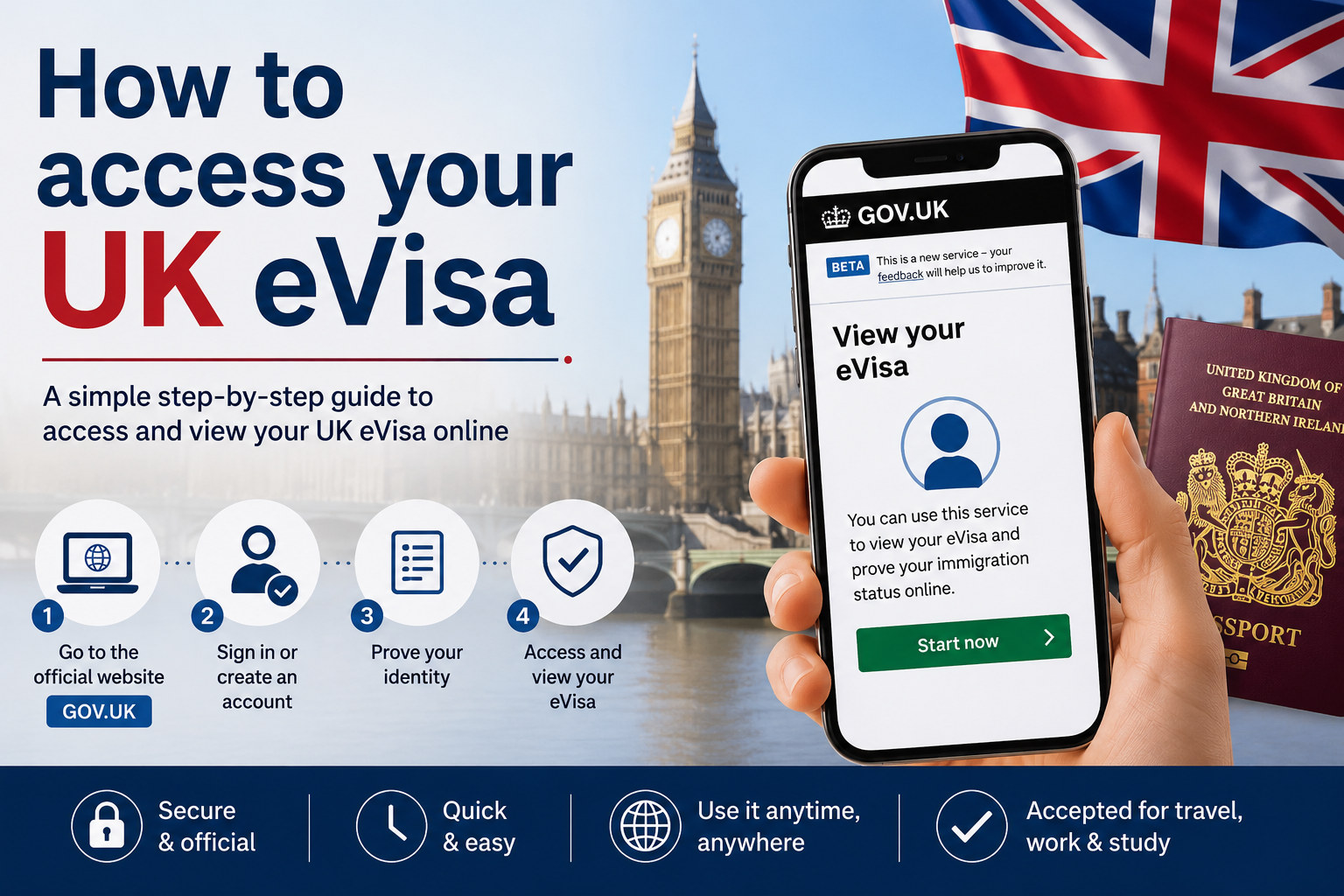
A UK eVisa is a digital record of your identity, immigration status and the conditions attached to your permission to be in the UK. To view it, you need a UK Visas and Immigration (UKVI) account linked to your immigration record. Many people already have an account from a visa application or the UK Immigration: ID Check app, so first try signing in rather than creating another one. Setting up an account and accessing an eVisa through the official service is free.
Sources checked October 13, 2026. Use GOV.UK and official Home Office services. Do not pay a third party simply to create an account, view your status or generate a share code.
What an eVisa shows—and who needs one
An eVisa records your identity, immigration status and relevant conditions, such as whether you can work or study. It is not a new visa application or a guarantee of a particular decision; it is the digital record of permission already granted. You need a UKVI account to access it. Dependants, including a partner or child who has their own immigration permission, generally need their own account to access their own eVisa.
Some people do not need an eVisa for their travel situation. For example, a visitor travelling with an Electronic Travel Authorisation (ETA) does not need an eVisa. An ETA is not a visa or an eVisa: it is a separate travel permission for eligible people who do not need a visa to visit. People with valid visa vignettes or certain physical settlement documents may also have specific arrangements. Check the official instructions for your status rather than assuming all travellers use the same process.
Before you try to sign in
Gather the details you used for your UKVI account, plus access to its sign-in email address or mobile phone. If you need to create an account, GOV.UK says you may need a valid passport and your visa application number (GWF or UAN), a valid passport and BRP number, or an eligible expired BRP. The accepted identity route depends on your circumstances and the service’s current instructions. You may need a smartphone for an identity-check app, but an alternative route is available for some people who cannot use the app or do not have the relevant document.
Do not share your password or one-time sign-in code with an agent or an unknown person. If someone is helping a child or a person who cannot manage an account themselves, use the official account guidance and ensure the account’s contact details are appropriate. Dependants should not assume a sponsor’s account displays their own immigration status.
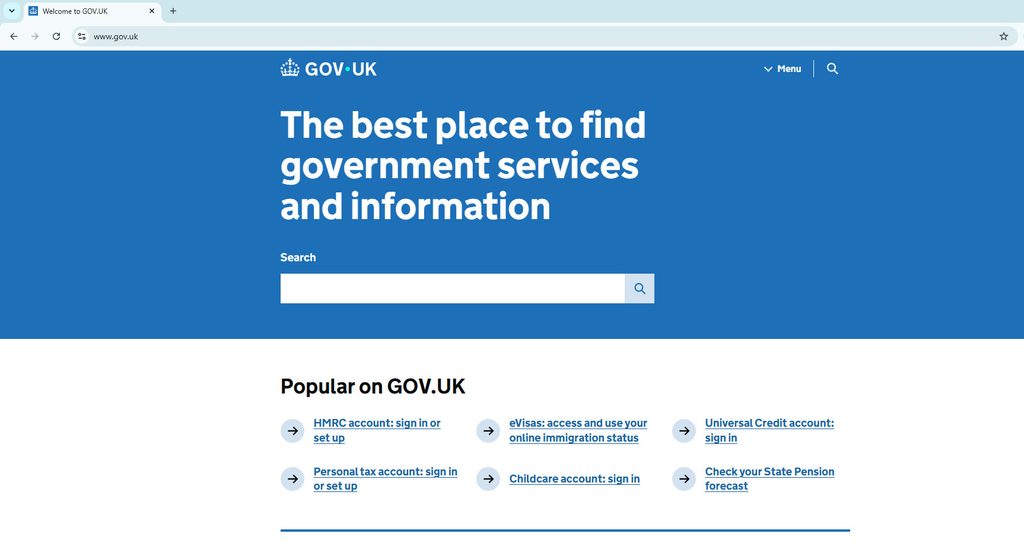
How to access your UK eVisa
- Open the GOV.UK eVisa service. Follow the official link from GOV.UK rather than a sponsored search result or an unsolicited message.
- Try your existing UKVI account first. You may already have one if you applied online, used the UK Immigration: ID Check app, replaced a physical immigration document with an eVisa, or applied to the EU Settlement Scheme. If unsure, try signing in. GOV.UK advises against creating a second account when you already have one.
- Create an account only if needed. Use the identity and application details requested for your route, and an email address and phone number you can access each time you sign in.
- Confirm your identity. Follow the offered identity-check steps. The app is not the only route for every person; if you cannot use it or lack the relevant identity document, follow the alternative instructions provided by the service.
- Link the immigration record. Creating an account alone does not let you view an eVisa. Complete the separate linking step if it was not completed during account setup.
- Open the eVisa and check the details. Review your name, date of birth, nationality, immigration status and conditions. Confirm the information matches your decision and identity records.
- Add your current travel document. Link the passport or other document you plan to use when travelling, then verify the saved details before booking or checking in.
The exact steps can vary by how you applied and the documents you hold. If you recently received a decision, read the decision email or letter for instructions and timing. Do not repeat account creation or make a new visa application just because you cannot immediately see a record; first check whether the original account is already linked and use the official help route.
Check and update your account details
Keep your personal details and passport or travel-document information current. Update the account if your passport, name, nationality, phone number, email or address changes. The update service is for account details; it does not change the immigration permission or amend a visa application. If you are waiting for a visa decision, there may be restrictions on changing certain identity or passport details, so follow the service instructions before making an update.
A mismatch matters most when you travel. Before departure, check that the passport in your UKVI account is the one you will present and that the details match the passenger information provided to your airline or carrier. GOV.UK warns that incorrect or mismatched details can lead to delays or a carrier refusing travel. If you have more than one nationality, add the passport you intend to use; a person with British or Irish nationality has separate travel-document rules and should follow the official dual-national guidance.
How to prove your status with a share code
A share code lets an employer, landlord, carrier or another permitted checker view relevant status information for a specific purpose. Sign in to the official service, choose the reason that matches the request, generate a code and provide it with your date of birth when asked. The checker does not need your account password. A share code is not a visa grant, account login or universal permission document.
Check the purpose before generating a code: the recipient should use the correct official checking service for work, rent or travel. The person checking can see some personal information, and the service tells you what will be shared. GOV.UK says a share code lasts 90 days and can be used more than once before it expires; generate a fresh code if it has expired or the recipient cannot use it. Keep the code private and send it only to the intended checker.
If you cannot see the eVisa or the details are wrong
First make sure you are signed into the correct UKVI account, have completed identity checks and linked the immigration record. Check the decision communication and confirm that the details you entered match your identity document. If you cannot sign in because you lost access to your phone or email, use the official account-recovery process; do not create duplicate accounts as a workaround.
If the eVisa displays an incorrect name, date of birth or immigration status, or you can view it but cannot get a share code, report an eVisa error through the official route. Account-detail updates are different: use those for changes such as a new passport, address or contact number. For a technical problem, follow the error-reporting instructions and provide the requested identifying information securely. GOV.UK says UKVI aims to resolve most reported eVisa errors within five working days, while complex cases can take up to 15 working days; this is an aim, not a guaranteed deadline.
If the issue remains unresolved, use the UKVI eVisa support webchat or the specific help channel shown on GOV.UK. Avoid sending passport scans or immigration numbers to unofficial social-media accounts. Keep screenshots and correspondence for your own records, but a screenshot is not a replacement for correcting the digital status record.
Travel with an eVisa
Before travelling to or from the UK, make sure your eVisa is visible, your account is up to date and your current passport or travel document is linked. Your carrier may check your permission before boarding, and border officials may check it on arrival or departure. If the carrier or border official asks for additional proof, the official travel share-code process may help. GOV.UK says a travel share code lasts 90 days and can be reused before expiry. You should still check the destination country’s separate entry and transit rules.
A visa vignette (sticker) remains valid until its expiry, and a biometric residence card may still be usable in some situations. These exceptions depend on the document and status; do not rely on an old card or vignette without checking the current instructions that apply to you. Resolve account access or passport mismatches well before departure whenever possible.
Official guidance and related information
For the definition, access routes, travel checks and share-code guidance, use GOV.UK’s eVisa access and use guide. For account creation, identity checks and linking a digital record, follow the official UKVI account setup instructions. These government instructions control if they differ from this overview.
For the separate question of whether your trip requires a visa or an ETA, see our UK travel visa or ETA guide.
GlobalVisora is an independent information platform and is not affiliated with the UK government. This article is general information, not personal immigration or legal advice. Verify your own status and travel requirements with UKVI before acting.